
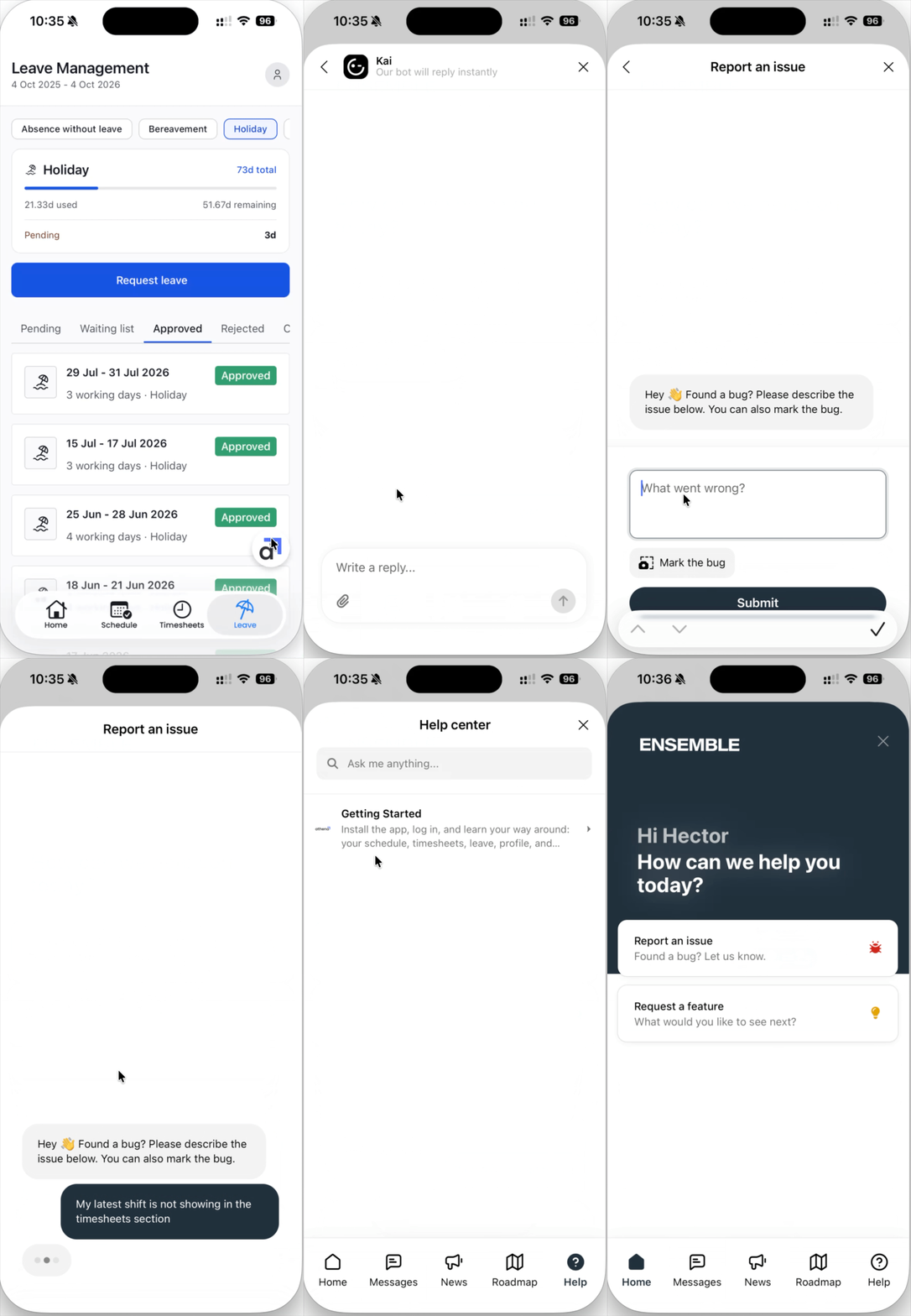
Every screen in the app has a round white button with the athena logo in the bottom right corner. This is the fastest way to reach us.
Reporting a problem or sending a suggestion
Tap the athena button. The support panel opens.
Here you can either report a bug, request a feature, or ask a question.
Any updates or new releases will be shown in News.
Describe what happened, or what you would like the app to do. A sentence or two is plenty.
Send it. Your message comes straight through to the team.
What makes feedback useful
Say which screen you were on, for example Timesheets or the Schedule calendar.
Say what you expected to happen and what actually happened.
Anything that looks wrong, feels confusing, or is missing is worth sending. Nothing is too small.

Every message is read by the team and tracked to a resolution. You may be contacted for more detail.