Your balances
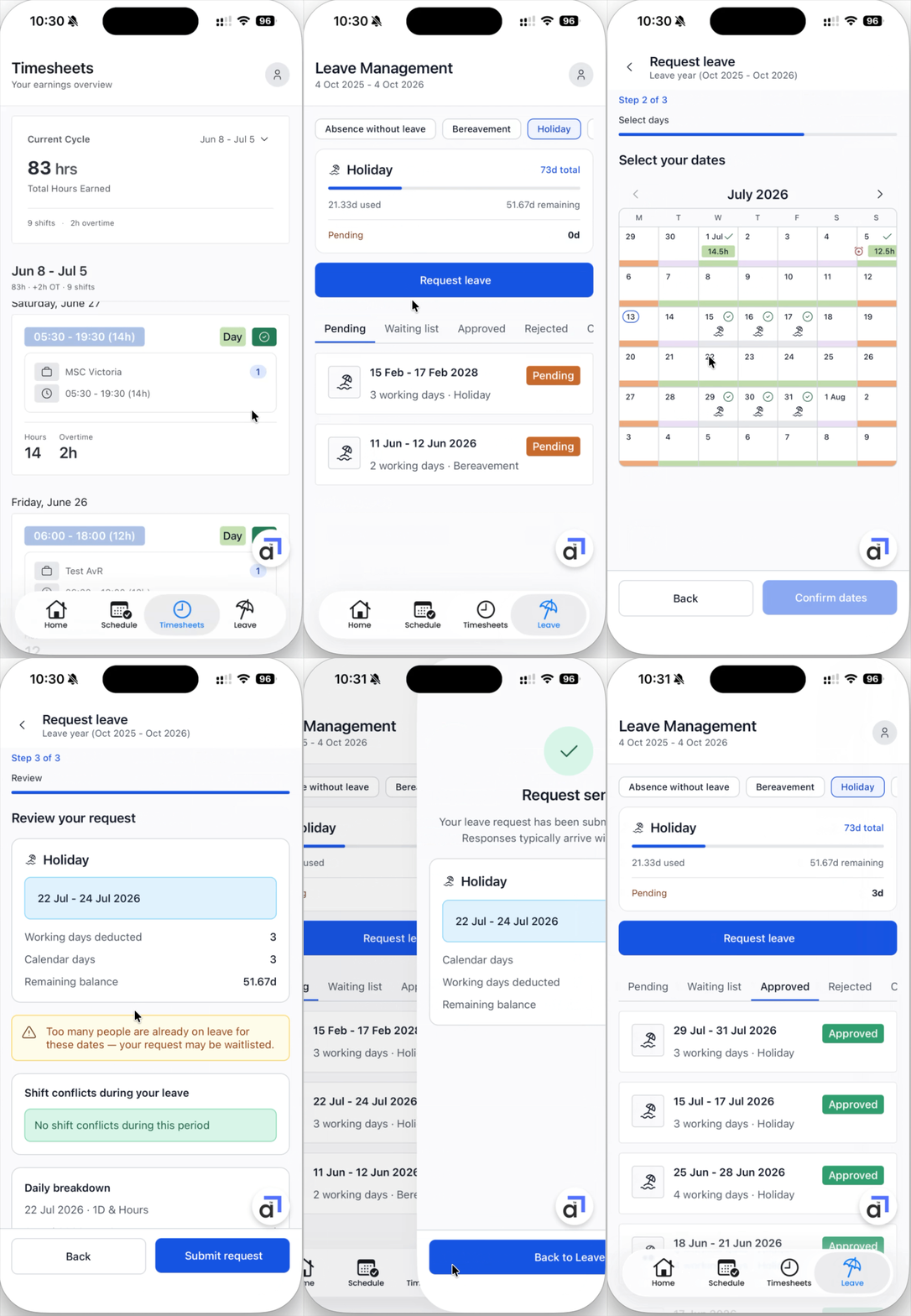
The Leave tab shows the current leave year at the top, then a card for each leave type with the days you have taken and any days pending approval.
Your requests
Below your balances, the Leave Requests section lists your requests under Pending, Waiting list, Approved, Rejected, and Cancelled tabs.
Requesting leave
Tap Request leave + and follow the three steps:
Leave type - choose the type of leave, for example Holiday or Sick.
Select days - pick your dates on the calendar.
Review - check the summary: the working days deducted, your remaining balance, any shift conflicts during the dates, and the daily breakdown. Then tap Submit request.
Your request is sent for approval and appears under Pending. Responses typically arrive within 48 hours.