
The Timesheets tab shows your hours for each pay period.
Period - use the date range selector at the top to choose a pay period. The card shows your total hours for the period and a count of shifts and leave days.
Weeks - the period is grouped by week, with each week's hours, breaks, and shift count in the header.
Days - each day shows either No activity, a shift card with times and hours, or a leave day with its leave type.
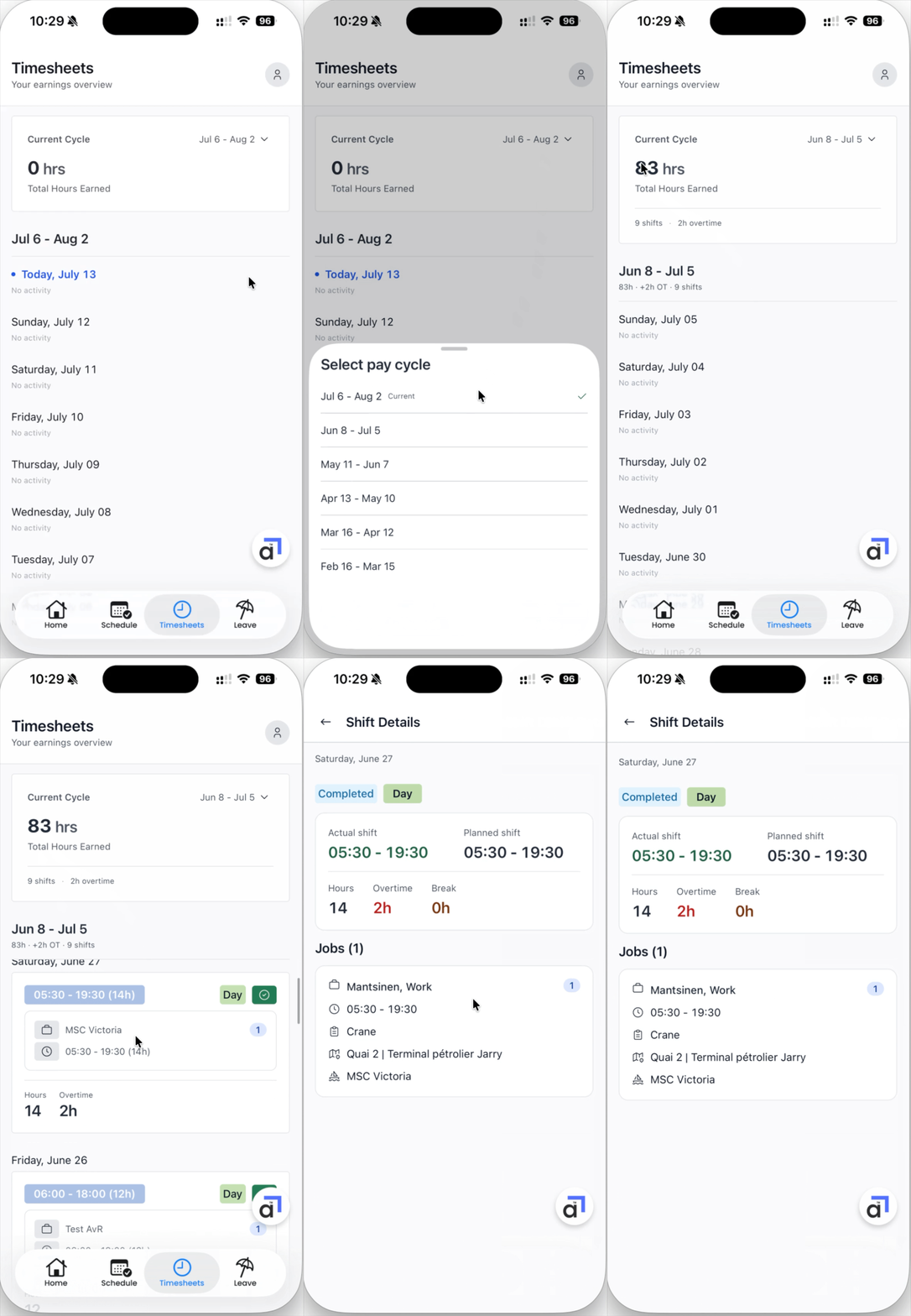

Days with no shifts or leave show as No activity. If a day looks wrong, tell us through the feedback button - see Getting Help and Sending Feedback.