Home
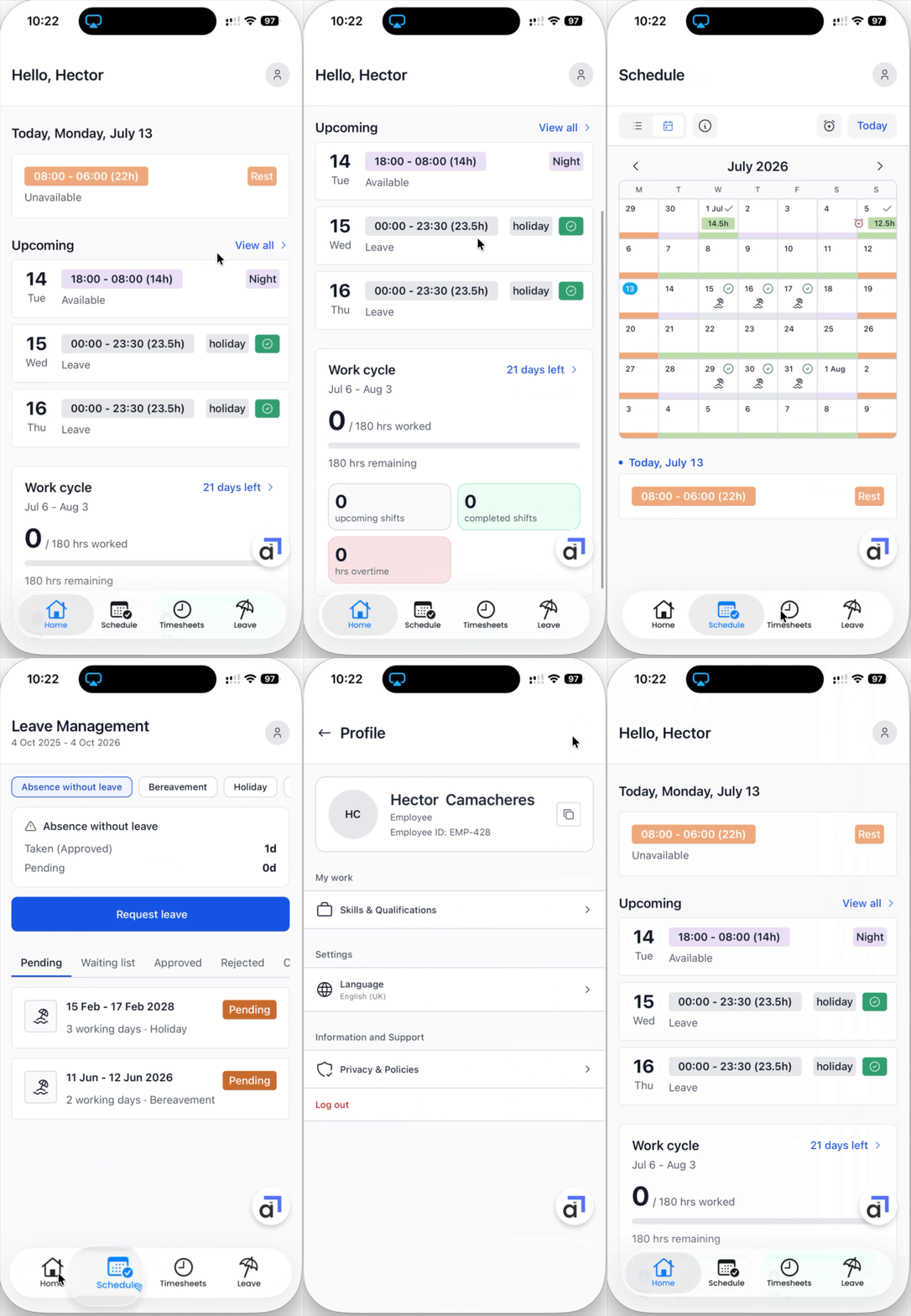
The Home screen shows your day at a glance:
Today's shift, rota or leave -
For the shift - the date, start and end times, total hours, and the shift type.
For rota - the type and if it is a rest day or a possible working day.
For leave - the type, for example Holiday, Sick, or Other.
Upcoming - your next shifts, rota pattern, and leave. Tap View all to see the full list.
Work cycle - your progress through the current cycle: hours worked so far, hours remaining, and counts of upcoming shifts, completed shifts, and overtime.
Schedule
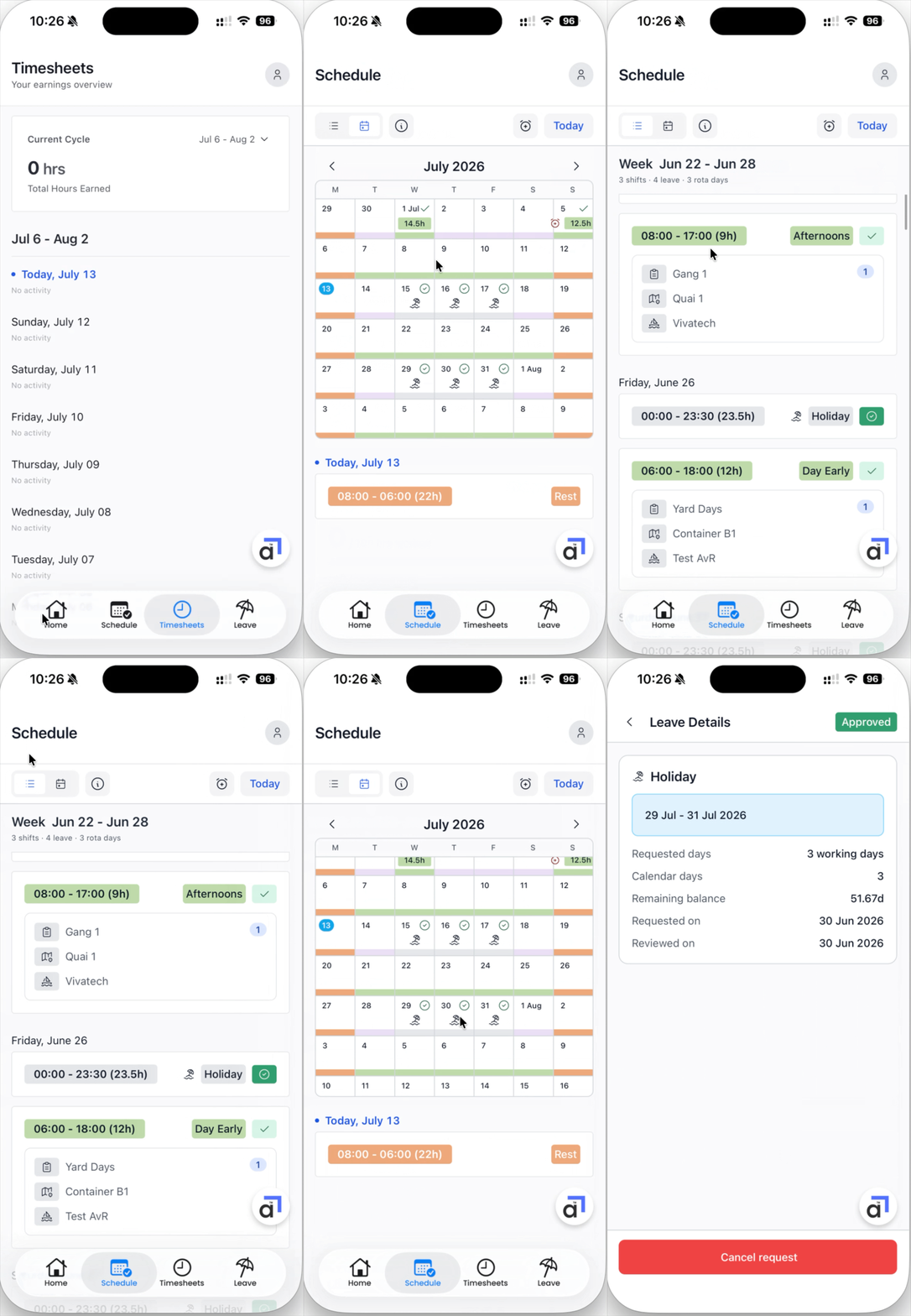
The Schedule tab shows your shifts and leave on a month calendar. Scroll up and down to move between months, or tap Today to jump back to the current day.
A coloured bar under a day marks a shift or leave. Each shift type group has its own colour.
A green check next to a day means the shift is confirmed.
Leave days show an icon for the leave type. Green is approved, orange is pending or waitlisted, red is declined, and grey is cancelled.
Tap the i button next to the view toggle to open the calendar legend, which explains every colour and icon.
Tap any day to see its details below the calendar: times, shift type, and the jobs on the shift, including the task, the location, and the vessel.
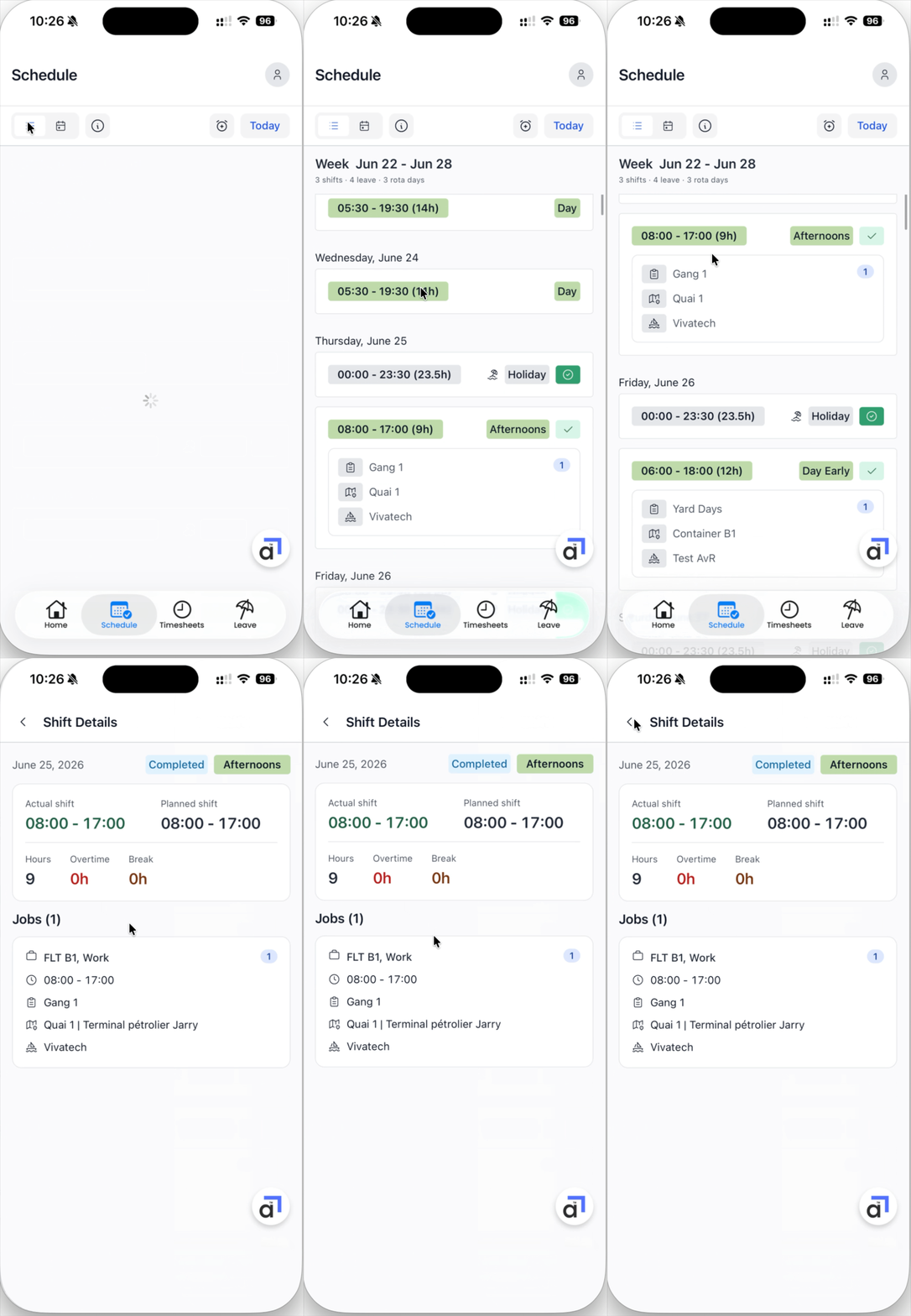
Shift details
Tap a shift to open its full details. Once a shift is completed you will see the actual times worked next to the planned times, along with hours, overtime, and break figures, and the jobs on the shift.