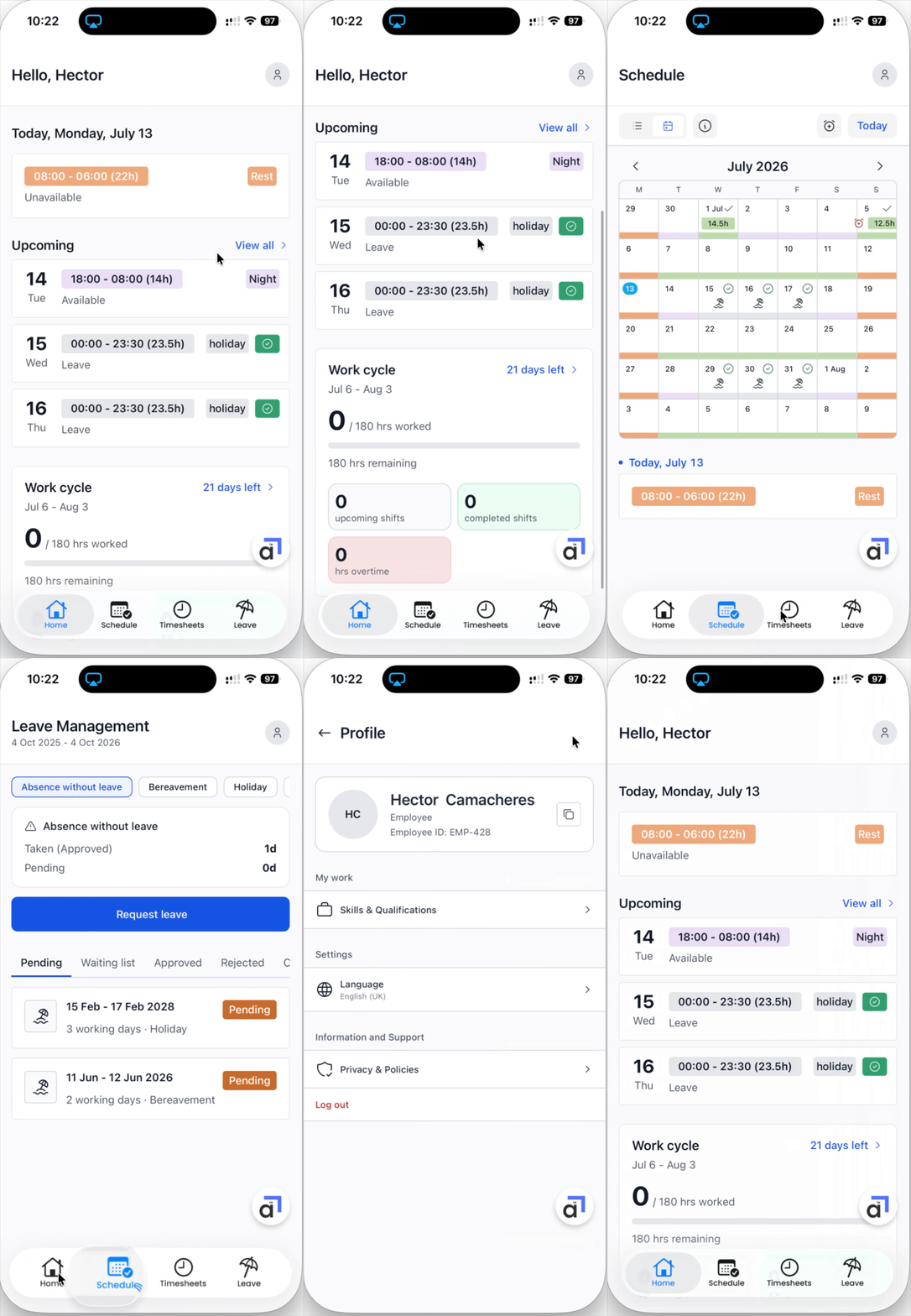
The Athena employee app puts your shifts, your timesheets, and your leave on your phone. This guide covers installing the app and finding your way around.
Installing the app
The app is currently available by invitation.
You will receive an invitation email. Open it on your phone and follow the link to install the app. On iPhone the invitation comes through Apple TestFlight; on Android it comes through Google Play.
Open the app and log in with the same email address your invitation was sent to.
Finding your way around
The bar at the bottom of the screen has four tabs:
Home - today's shift, your upcoming shifts, and your progress through the current work cycle.
Schedule - a calendar of your shifts and leave.
Timesheets - your hours for each pay period.
Leave - your leave balances and requests.
Your profile lives behind the round avatar in the top right corner of each main tab. From there you can see your employee ID, your skills and qualifications, and your settings.bottom navigation)